Your PSD mockups, filled with all your designs at once.
Drop the PSD mockups you already bought, drop your PNGs, click Generate: every design lands on every mockup, and you download them all in one ZIP. No Photoshop. It runs on your own computer, Mac or Windows.
- No subscription
- No Photoshop
- Your designs never leave your folder
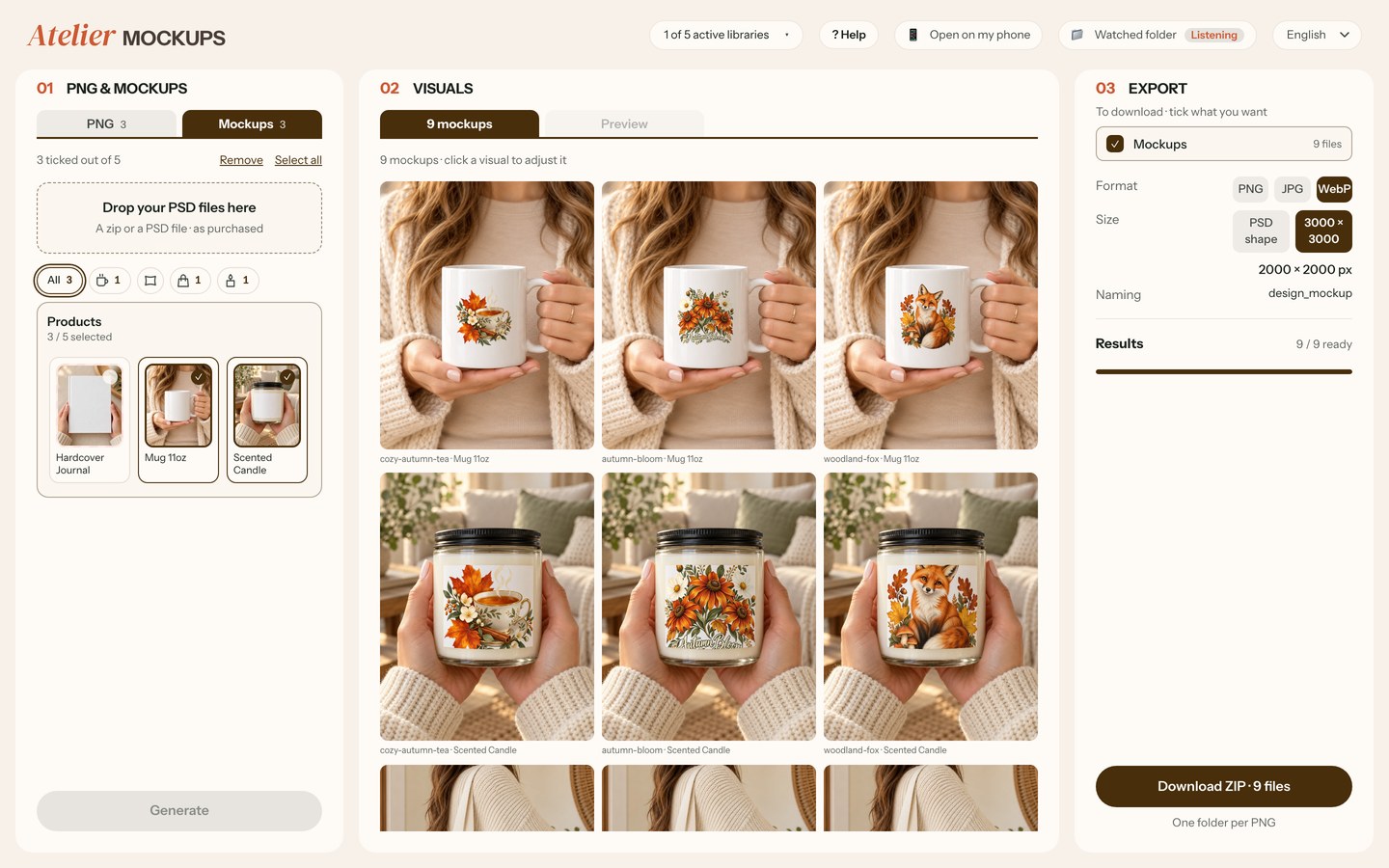
Mockups and designs shown for presentation only, not included: the atelier works with your own PSD mockups.
take a look inside
See Atelier Mockups in action
One PSD, from drop to finished mockups · filmed on a recent computer, sped up
Forget Photoshop. Make them all in one go.
Drop your PSDs and your PNGs. The atelier makes every mockup for you.
your mockups
The PSD mockups you already own, ready in one drop
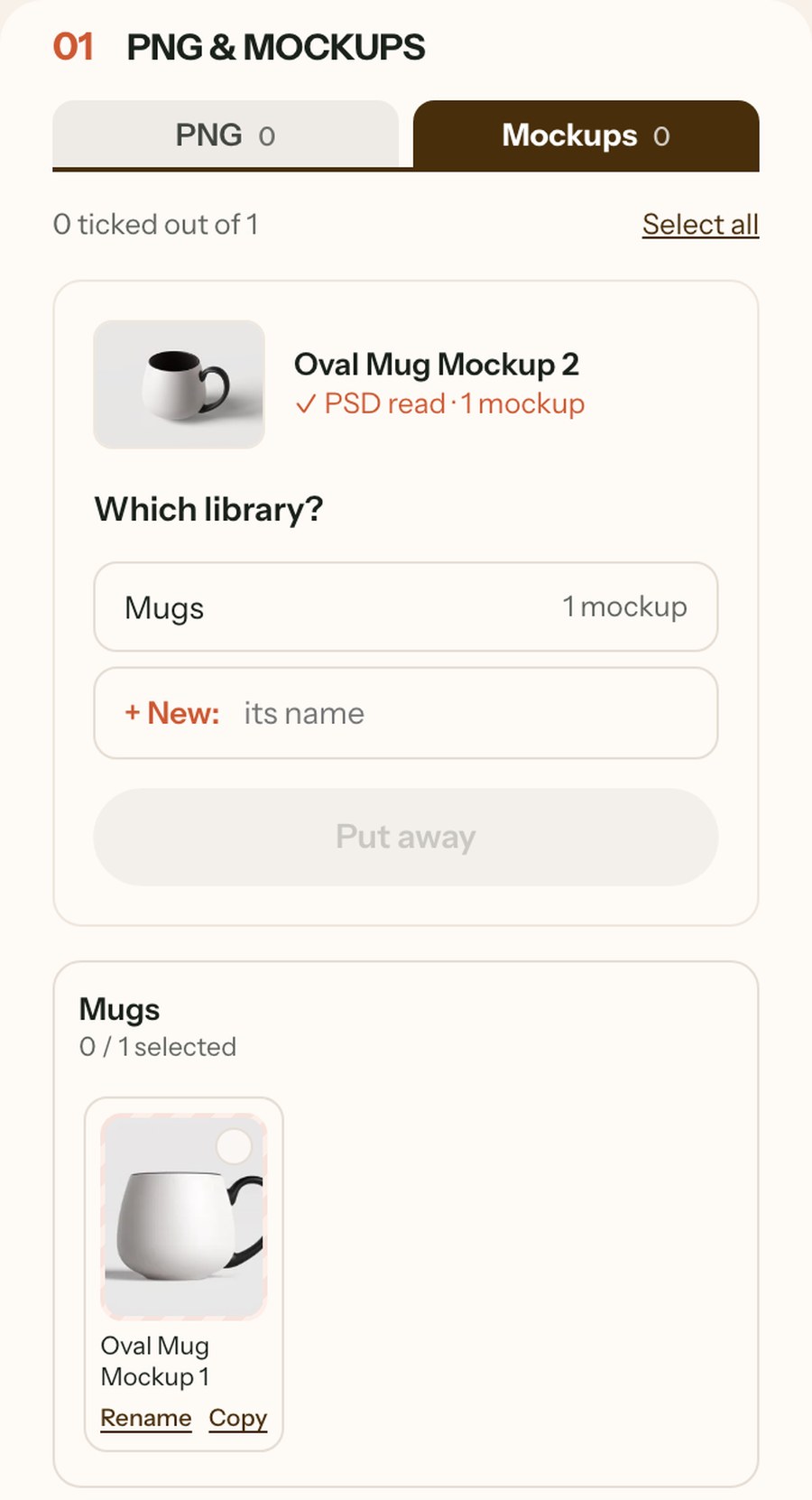
Drop your PSD, as purchased
The atelier opens the PSD for you. No Photoshop, no GIMP, no Photopea.
- Drop a PSD file, or the zip you downloaded from the shop
- The atelier finds the design area by itself and keeps a light copy of the mockup
- About 20 seconds per PSD on a recent computer, and only once: after that, it’s ready every time
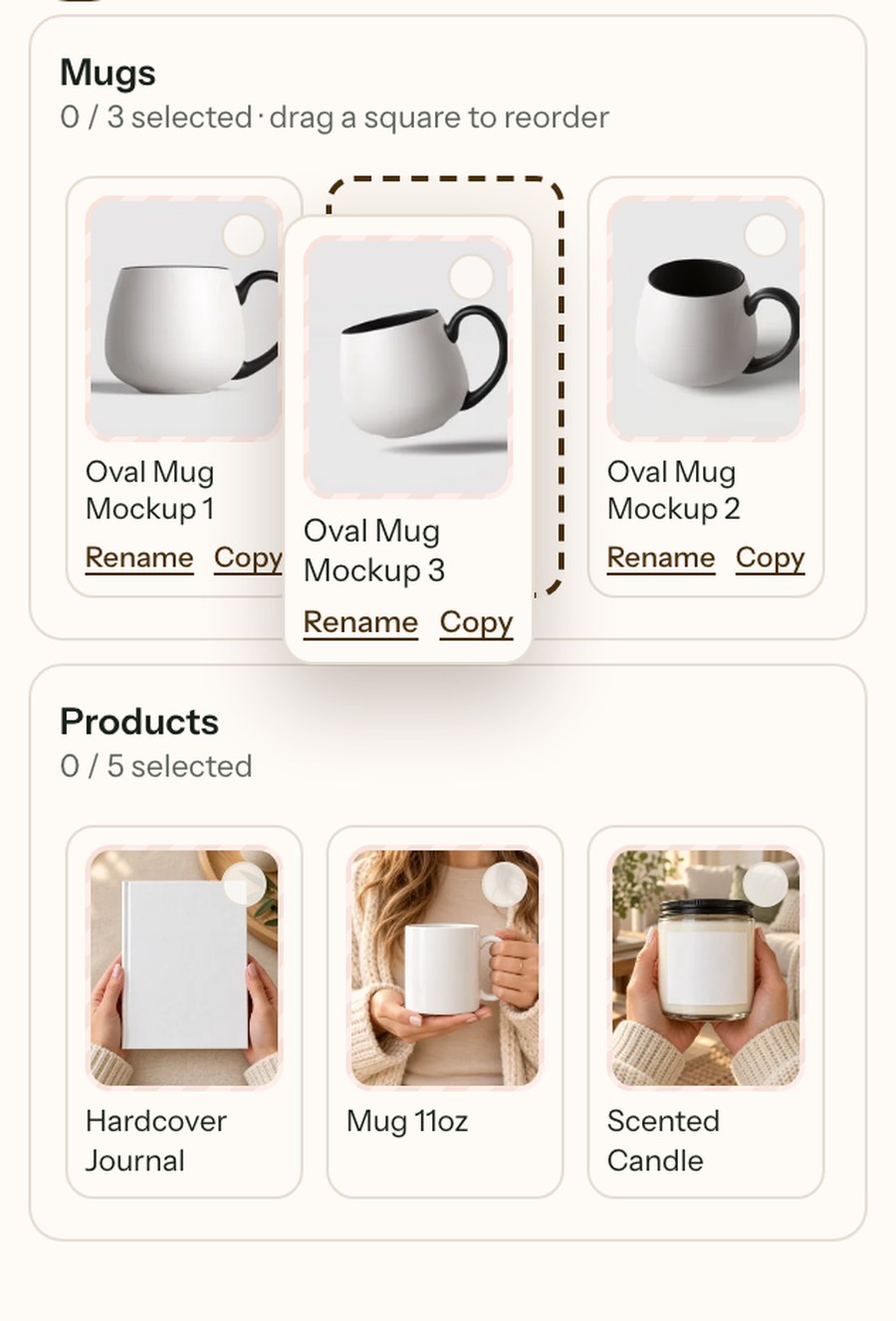
Your own libraries
Sort your mockups the way you sell: t-shirts, mugs, posters, a client, a season…
- Choose a library when you add a PSD, or create a new one on the spot
- As many libraries as you like: star up to 5 to work with at once, the others wait, safely stored
- Rename or duplicate a mockup, to keep two versions of the same scene
- Drag a mockup to change the order: your favorites come first
your designs
All your designs, on all your mockups
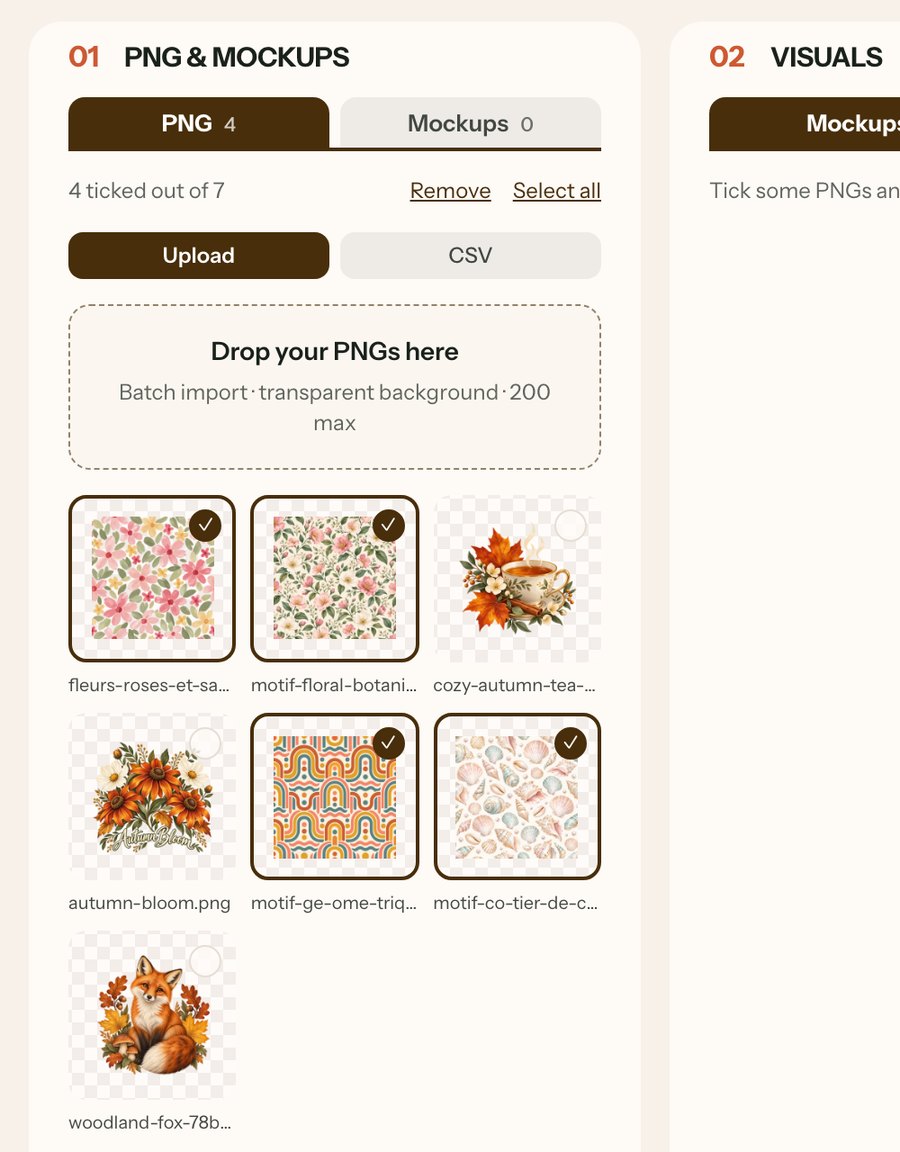
Drop all your PNGs at once
Your whole collection in one go, then tick the designs you want today.
- Batch import, up to 200 PNGs, on a transparent background
- Or bring in a list from a spreadsheet (CSV), with links to your images
- Or drop them into your watched folder: they appear in the atelier by themselves
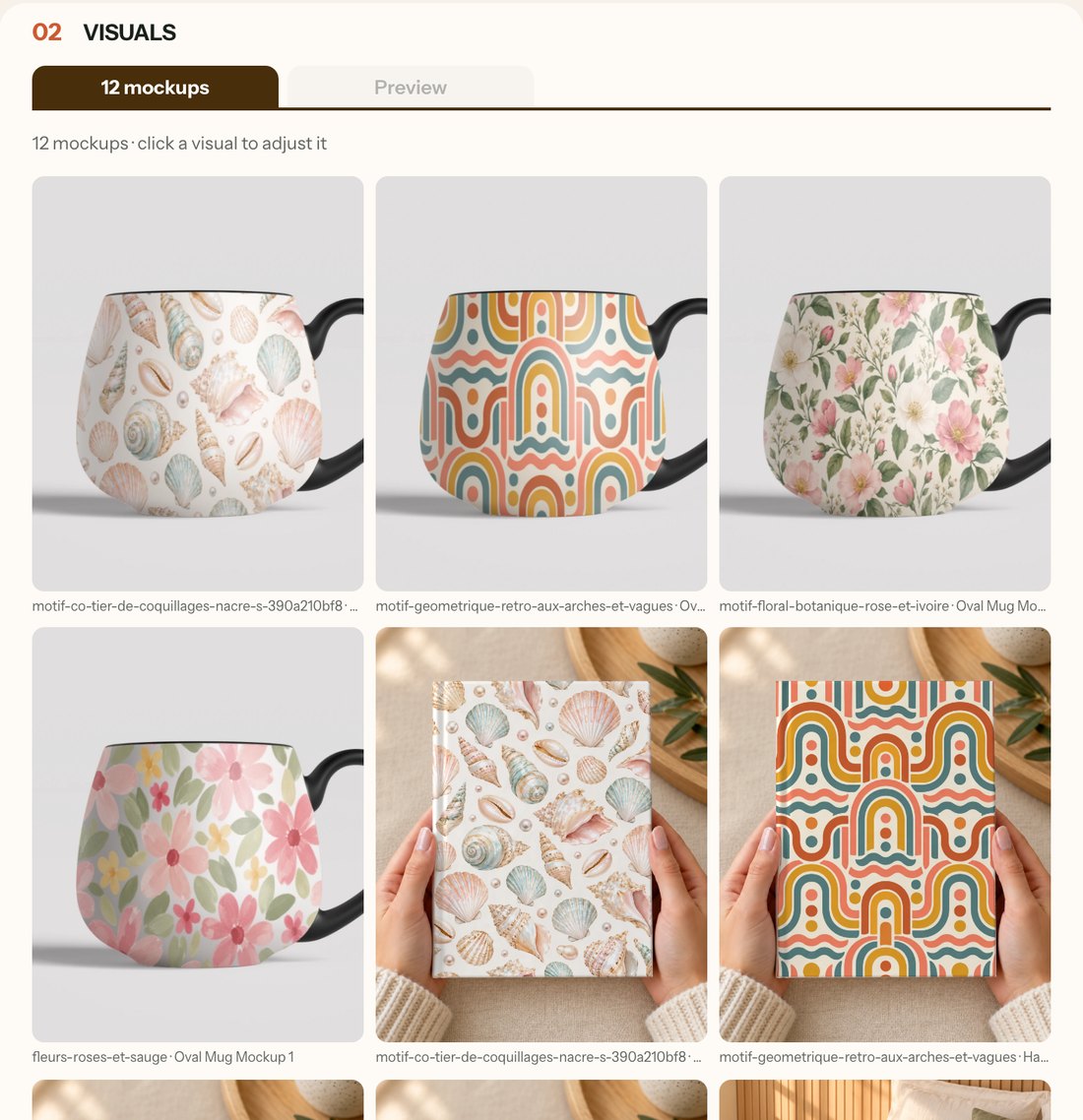
Every combination, in one click
Tick your designs, tick your mockups, click Generate.
- 4 patterns on 3 mockups: 12 mockups, made in one go
- Each mockup is named after its design, so you always know which is which
- Click any visual to see it full size
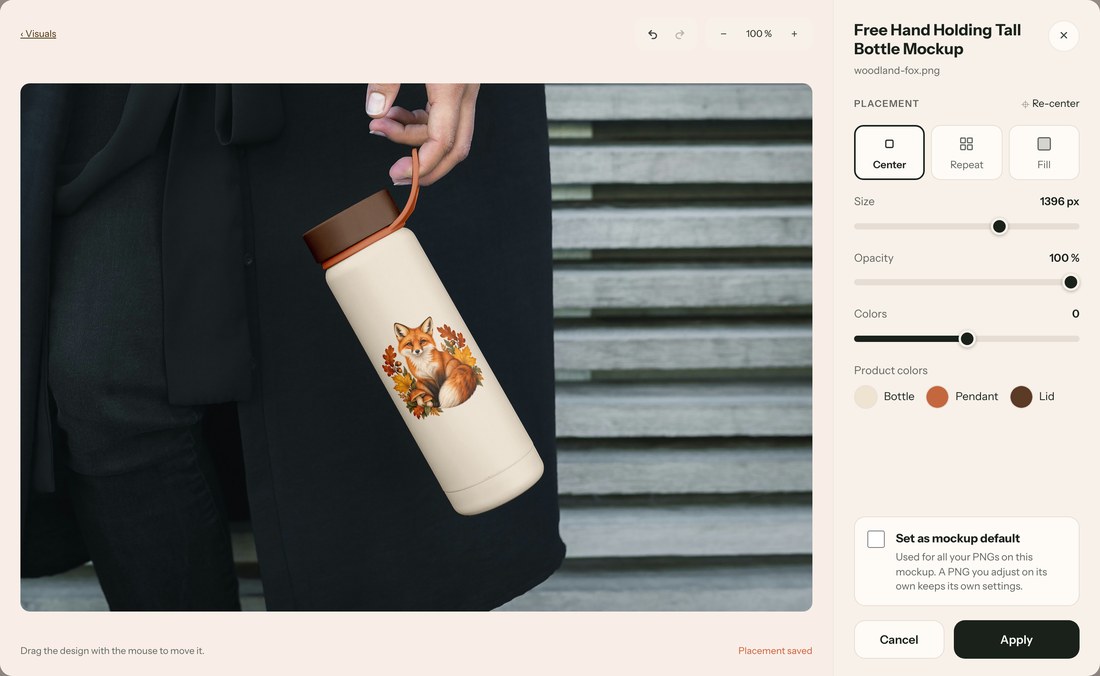
Adjust each mockup your way
Open a visual and place your design exactly where you want it.
- Center it, repeat it as a pattern, or fill the whole area
- Drag the design with the mouse, change its size and its opacity
- Change the product colors when the PSD offers them: a bottle, its strap, its lid…
- “Set as mockup default”: your setting is used for all your PNGs on this mockup
your files
Download everything, ready for your shop
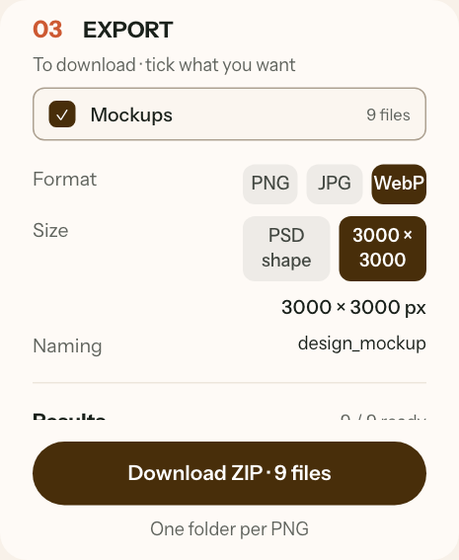
One ZIP, sorted for you
Choose your format once, and download every mockup together.
- PNG, JPG or WebP
- In the shape of the PSD, or square 3000 × 3000 px
- Every mockup at once, in a single ZIP
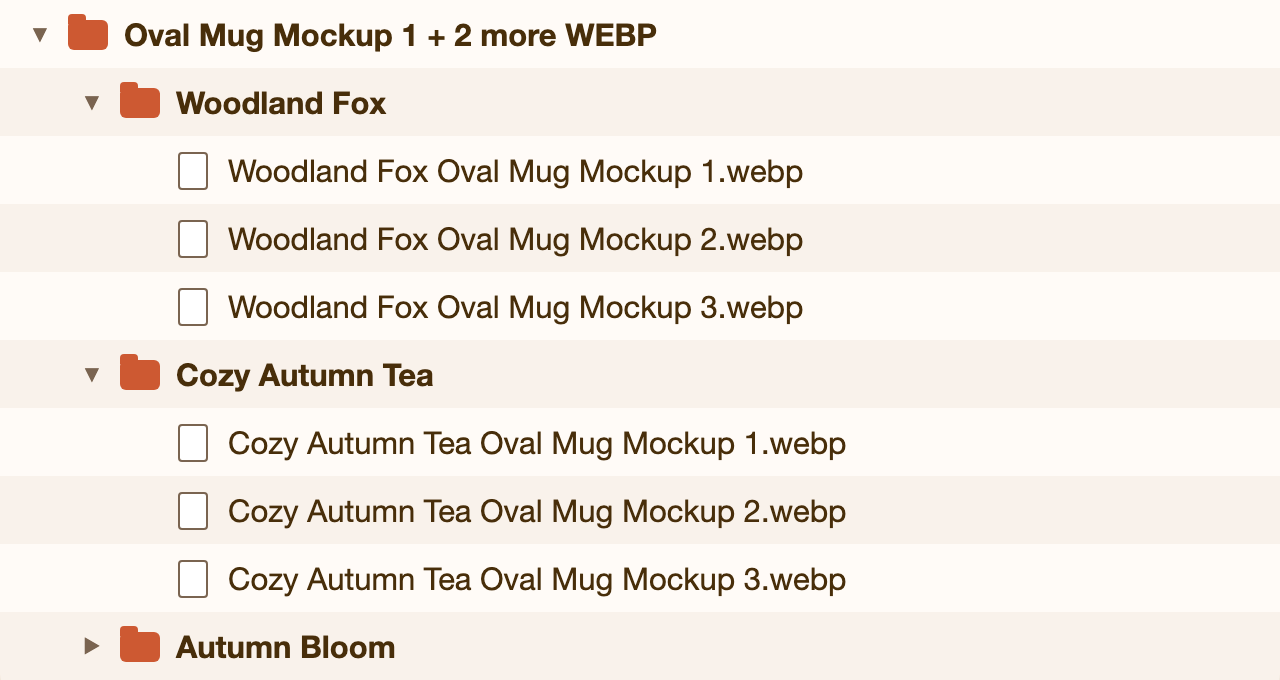
Already sorted, folder by folder
Open the ZIP: nothing to rename, nothing to tidy.
- One folder per design
- Inside, all the mockups of that design
- Each file is named after its design and its mockup
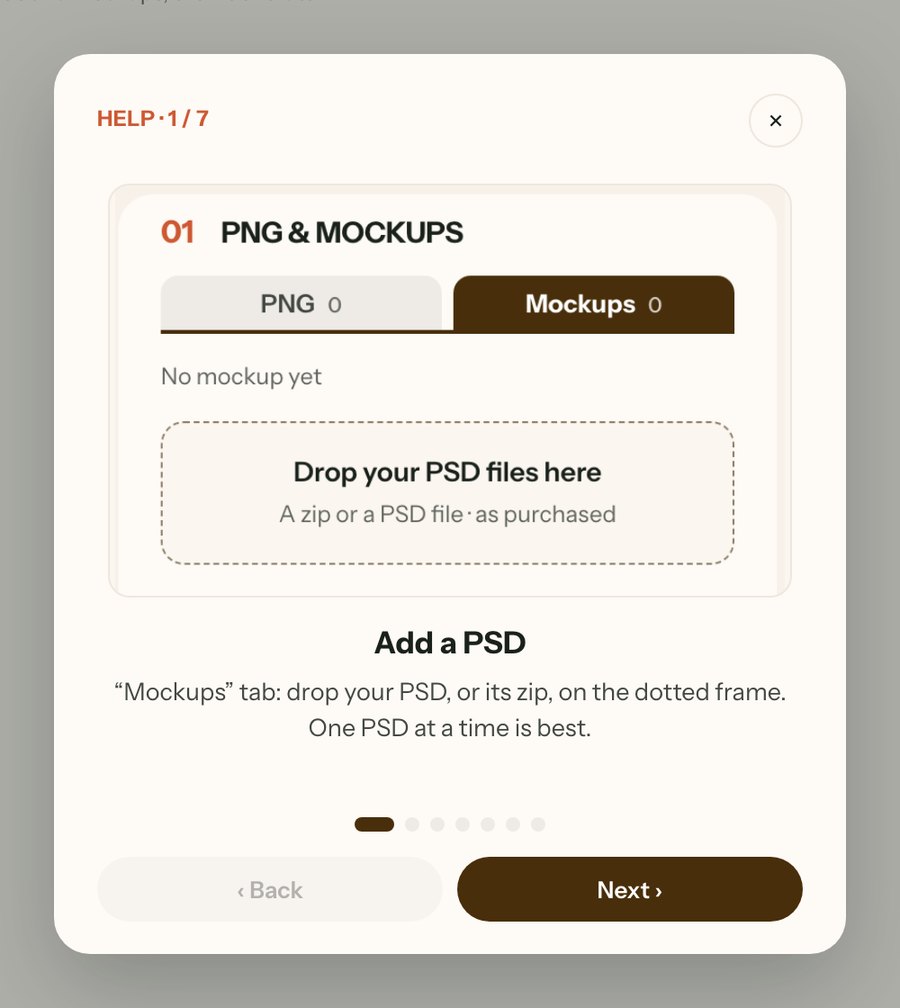
Help built in
A short guide, step by step, right inside the atelier.
- 7 short steps, from your first PSD to your first ZIP
- Open it any time with the Help button
- In English and in French
on your phone
Check your mockups from the sofa
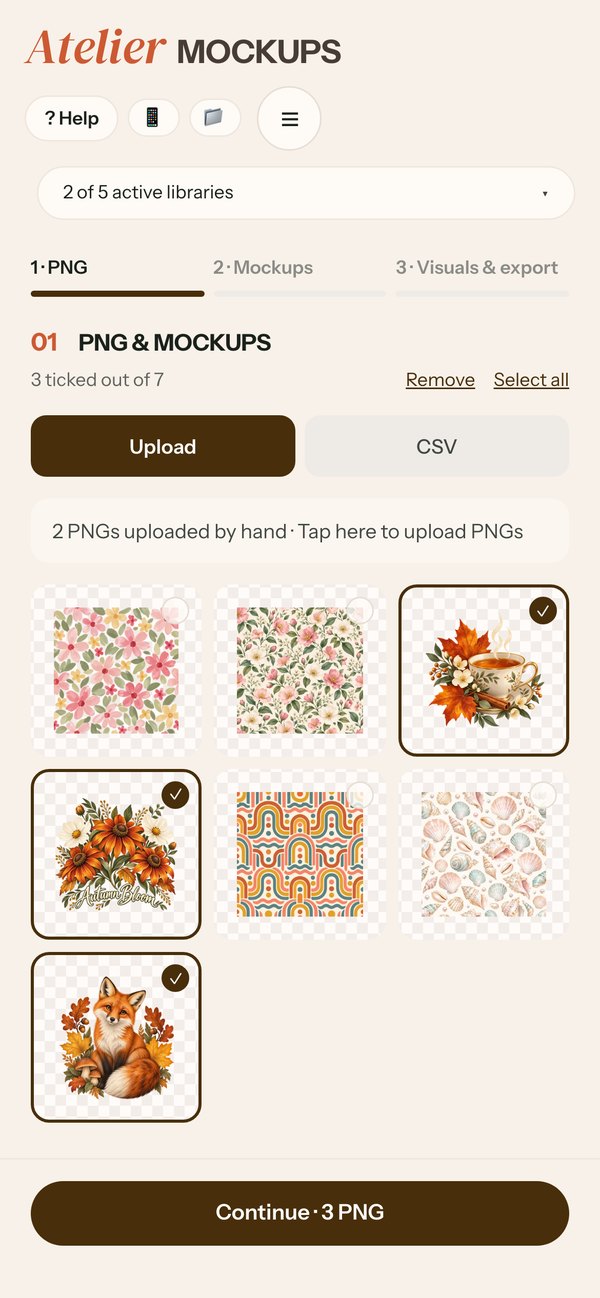
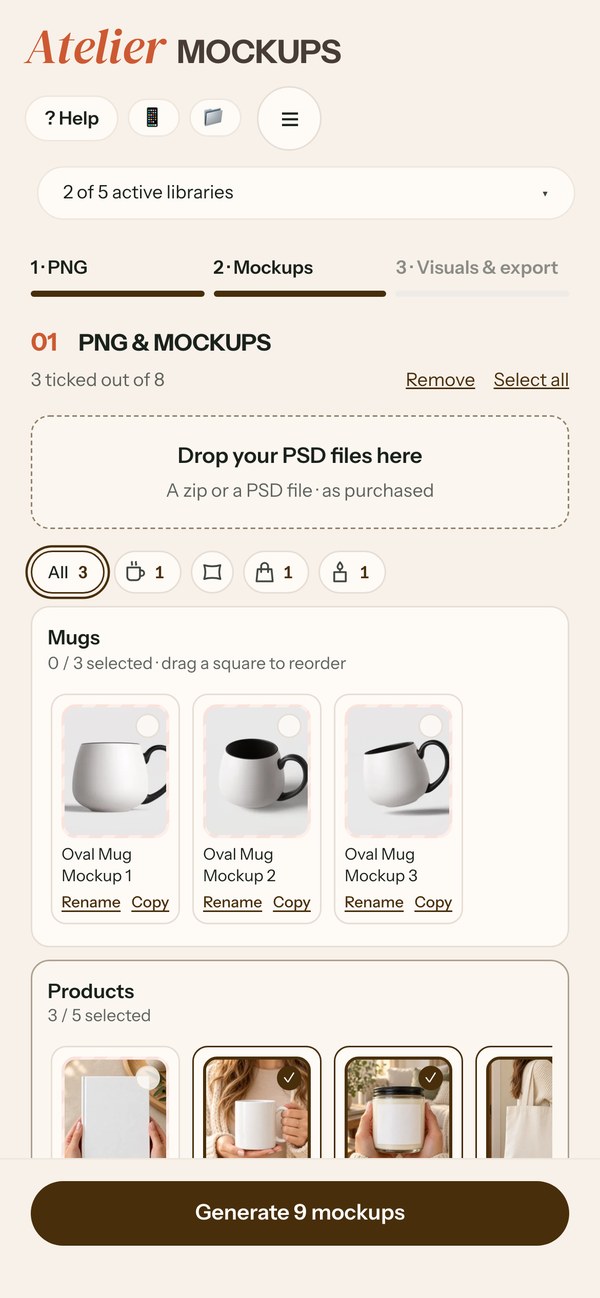
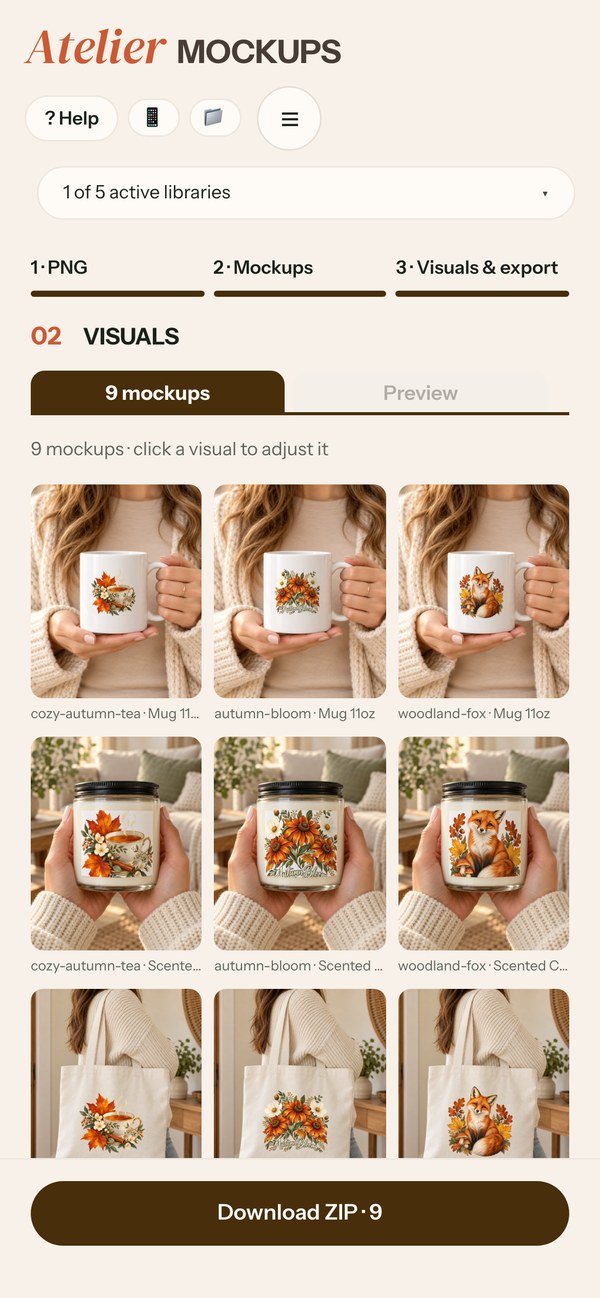
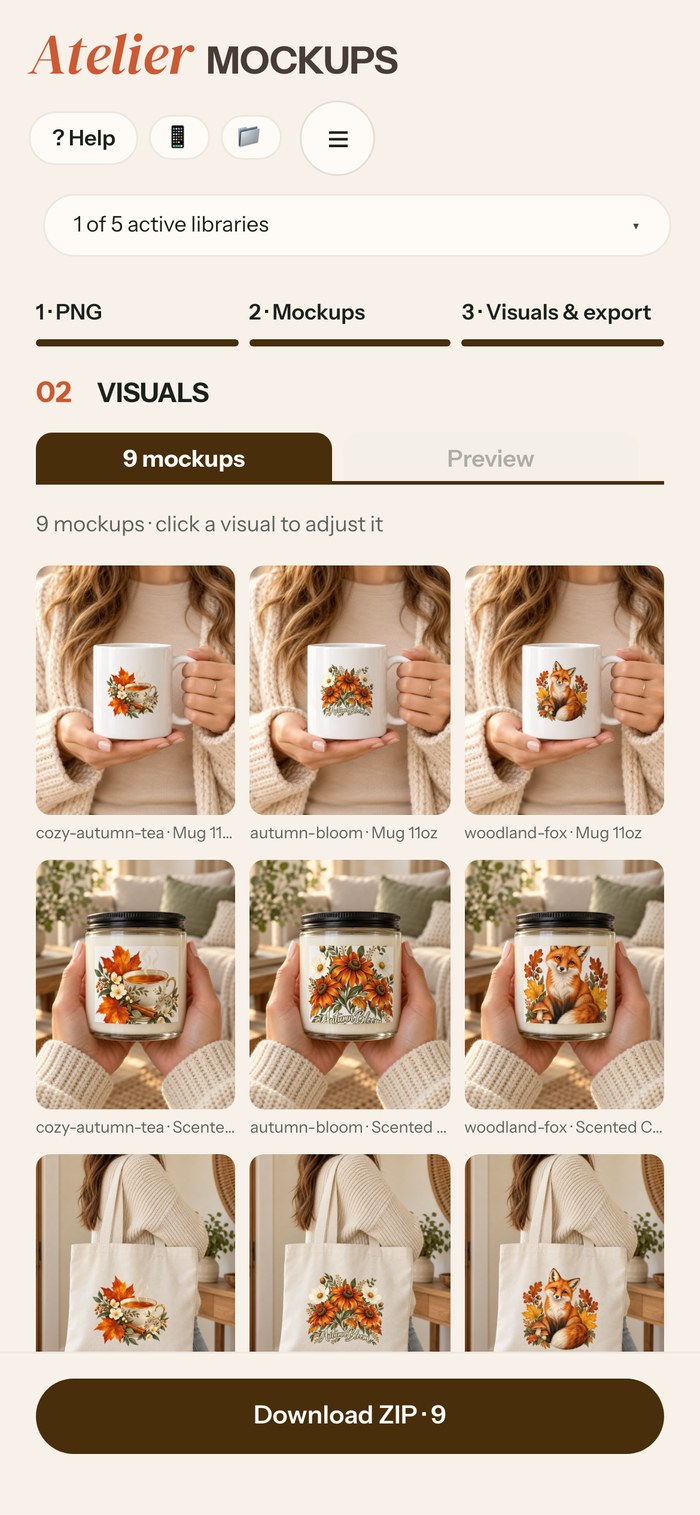
The same atelier, rearranged for your phone, in three steps: your PNGs, your mockups, your visuals.
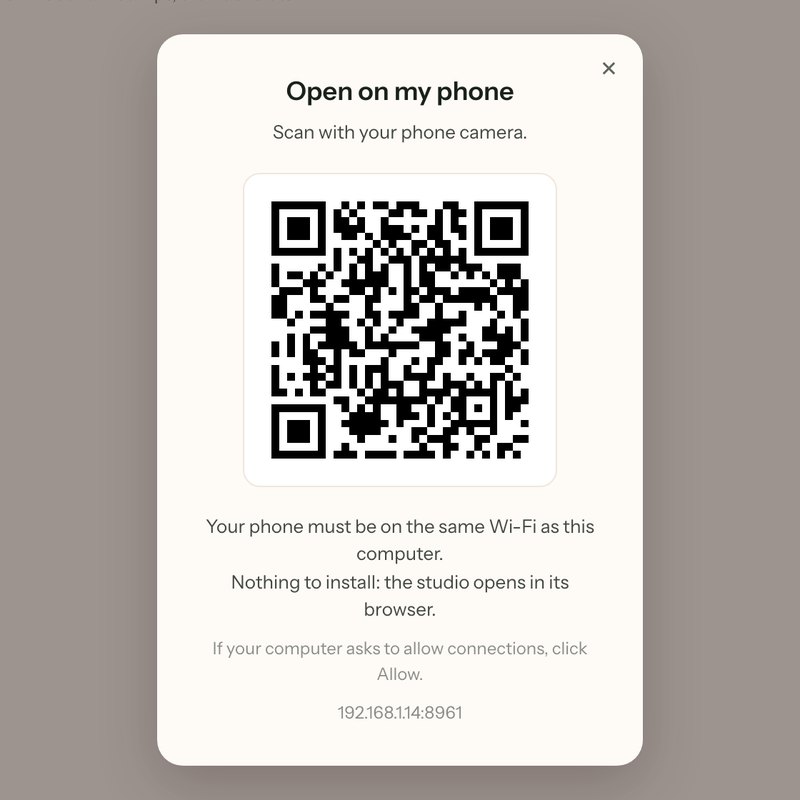
Good to know: your phone talks to your computer
Click “Open on my phone” and scan the QR code. Your phone must be on the same Wi-Fi as your computer. Nothing to install, and nothing goes online: your phone talks to your computer directly.
with Claude Code, Cowork or Codex
From your ideas to mockups, with your AI assistant
Your assistant can install Atelier Mockups for you. Then it becomes part of your workflow: prepare your designs together, then ask your assistant to add them to Atelier Mockups. They appear in the atelier by themselves, ready to place on your mockups, for your print-on-demand shops.
- Your assistant installs the atelier
- You prepare your designs together
- They appear in the atelier
- You adjust and export
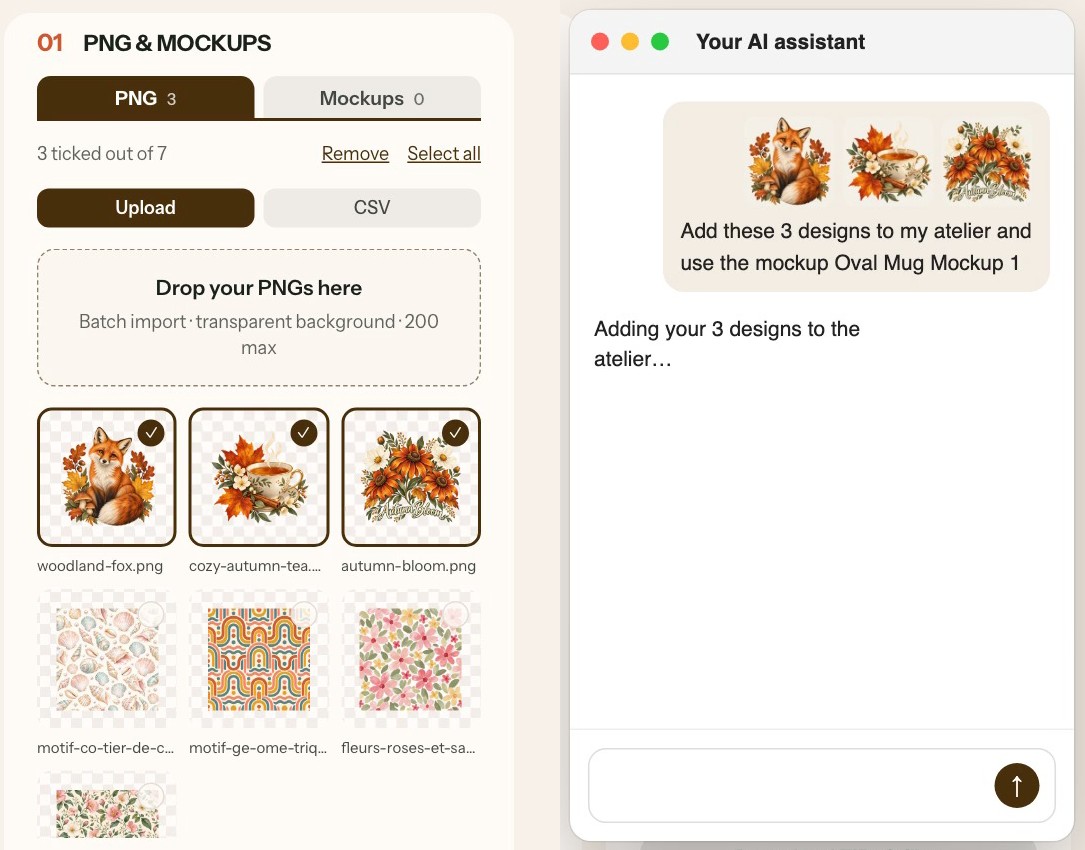
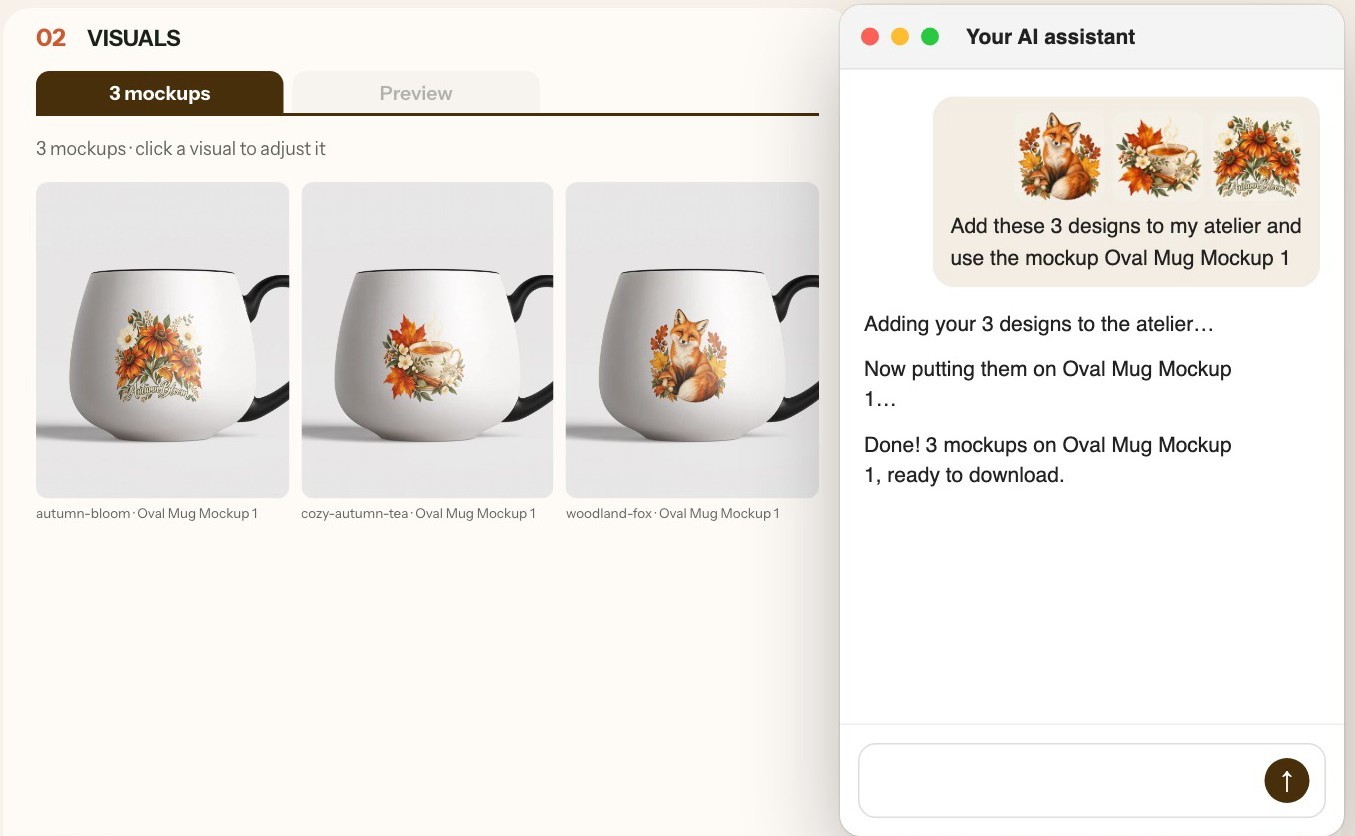
Works with Claude Code, Claude Cowork or Codex when your assistant can access the files on your computer. You stay in control of the result.
In the download
Atelier Mockups for Mac or Windows, a quick install guide (PDF, English and French) and your license.
Unzip, and open
Open Atelier Mockups: it starts in your browser and runs on your own computer. Your PSDs, PNGs and mockups stay in your folder.
Mac and Windows
There is a version for each: macOS 11 or newer (Apple chip or Intel), Windows 10 or 11. Your phone joins in through your Wi-Fi.
English and French
Switch between English and Français at the top of the atelier.
✓ You can
Sell or share every image you make with the atelier, for your shop and your clients.
✕ You can’t
Resell, share or give away the atelier itself, even modified.
Questions
Do I need Photoshop?
No. Drop your PSD files into the atelier: it reads them for you.
Which PSD mockups work?
Mockups with one design area (one smart object), and mockups with several. When a PSD has several areas of the same size, like a pair of socks or a box and its reflection, your design goes on each of them.
My PSD mockup breaks in GIMP or Photopea. Will it work here?
The atelier reads your PSD itself, then keeps a light version of the mockup in your library. No more opening a heavy PSD: your mockup is light and ready, every time.
Can I add many PSD files at once?
Add them one by one. Each PSD takes about 20 seconds on a recent computer, a few minutes on an older or less powerful one. You only wait once: after that, the mockup stays in your library.
Will it run on my computer?
Mac: macOS 11 or newer, with an Apple chip or Intel. Windows: Windows 10 or 11 (64-bit). It needs about 1 GB of free space, and 8 GB of memory is enough. If it doesn't run on your computer, write to me and I'll refund you.
Is it hard to install?
No. Unzip the folder and follow the quick guide. You can also ask your AI assistant (Claude Code, Codex…) to install it for you.
Is it a subscription?
No. You pay once and keep it.
Where do my designs go?
Nowhere. The atelier runs on your own computer, and your PNGs and mockups stay in your folder.
your mockup atelier
Atelier Mockups · PSD Edition
$59
One-time purchase. No subscription. Yours to keep.
Get Atelier Mockups →What you'll get
- Atelier Mockups for Mac or Windows, opened with a double-click
- A quick guide in PDF, in English and French
- Instructions for your AI assistant, ready in the folder
- An “images” folder: drop your PNGs in, they appear in the atelier
- An “outputs” folder, where your ZIPs are kept
- Your license, in English and French
Get your 10% off
Leave your email and I’ll send you a welcome code for Atelier Mockups.
You’ll also get news from the atelier now and then. Unsubscribe any time. PrivacyCheck your inbox.
Click the button in my email to see your 10% code.